
The Services section allows users to manage the items and services they offer, including adding new products, importing products, and managing purchase permissions for clients.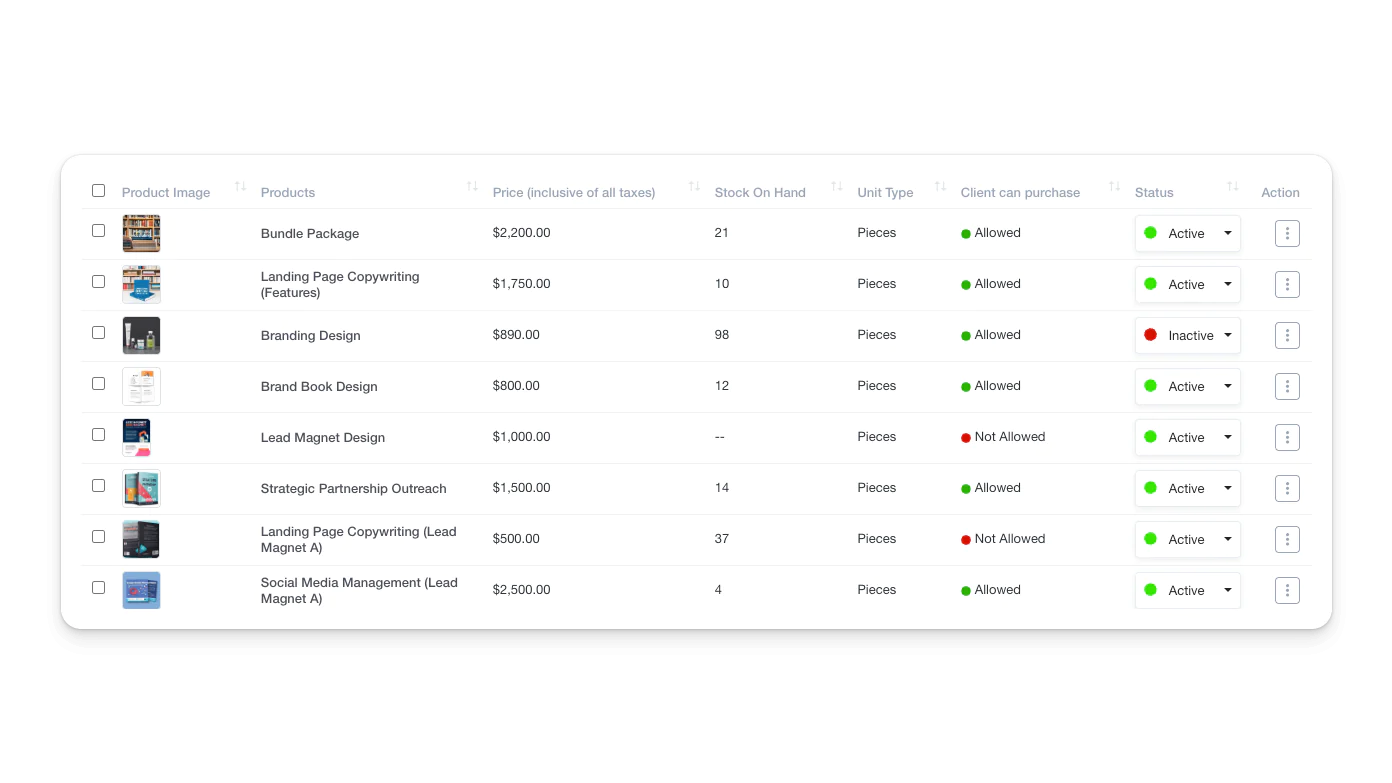
Viewing Products
- Navigate to Products from the left sidebar.
- The products list displays key details such as product name, price, and purchase permissions.
- Use the search bar and filters to locate specific products.
Adding a Product
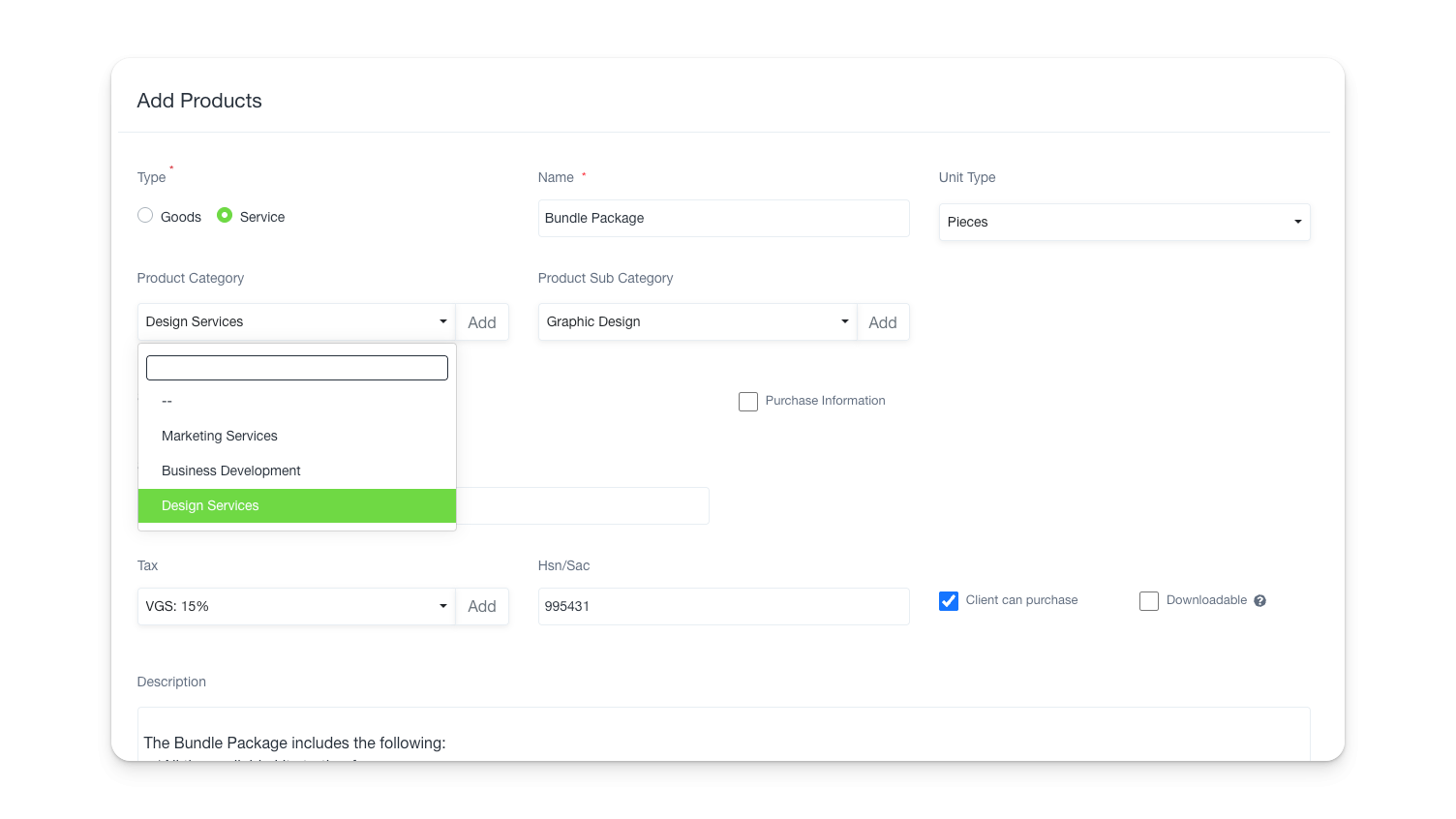
- Click Add Products to open the product creation form.
- Fill in the product details, including:
- Name (e.g., Web Hosting, Laptop)
- Price
- Product Category and Sub Category
- Tax Details
- Unit Type (e.g., pcs, kg)
- SKU (Stock Keeping Unit)
- Description
- Upload an image or file if applicable.
- Check the Client can purchase box if you want customers to be able to buy the product.
Click Save or Save & Add More to continue adding additional products.
- Click Import to bulk upload products.
- Download the sample import file to ensure proper formatting.
- Upload a file in XLS, XLSX, or CSV format.
- Ensure that the date format is correct in the file.